How to Reset a GE Garbage Disposal
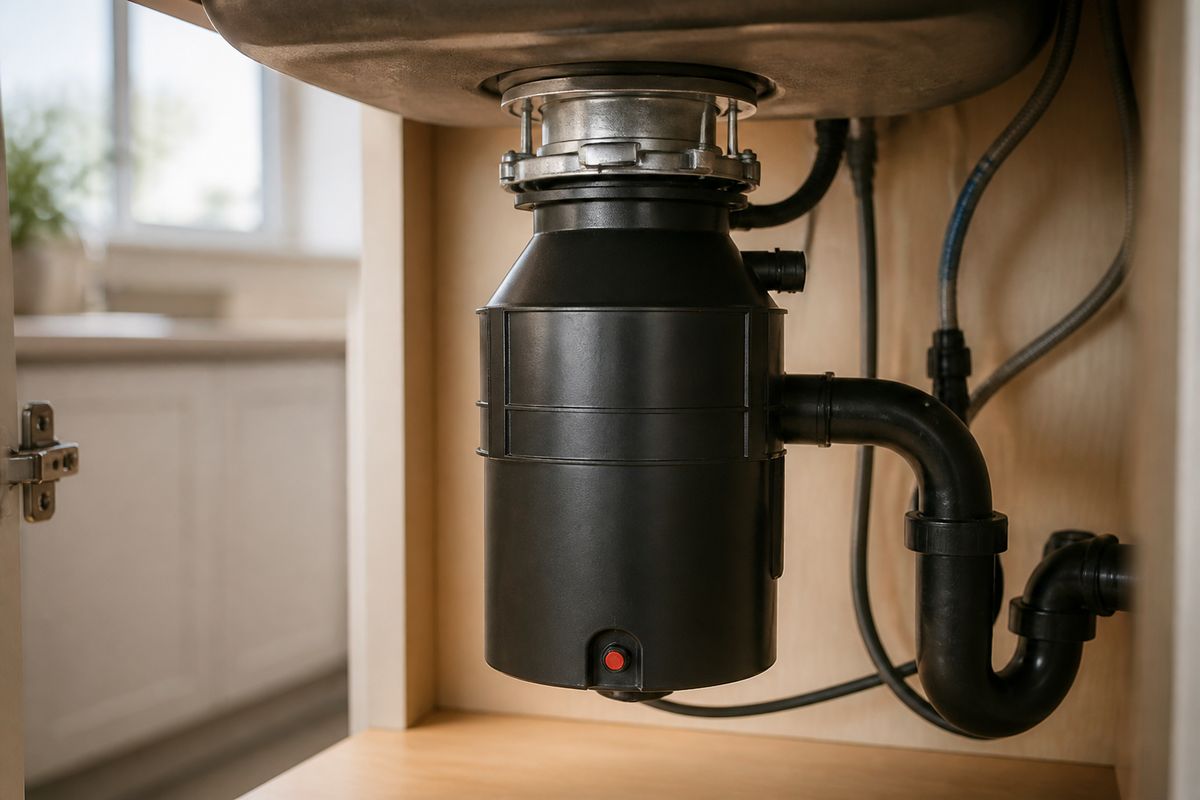
When your kitchen suddenly stops grinding and you’re left with smelly standing water, you need to know how to reset a GE garbage disposal fast and safely. If the unit won’t run or the switch feels “dead,” the reset button is often the key—but only after you clear the real cause of the trip. Use the steps below to reset it correctly and avoid damaging the motor.
For more help, see our GE Garbage Disposal Not Working: Diagnose Every Common Cause guide.
What the Reset Button Does
Why a disposal trips and shuts off
A GE garbage disposal trips the overload reset button when the motor draws too much current. That overload is caused by a jam, an overload from heavy food buildup, or overheating from running too long. Heat can build if the grind chamber can’t rotate freely, which raises electrical load and forces the internal protection to shut the unit down. Resetting without fixing the jam just repeats the same overload the next time you turn it on.
Signs the reset is the right fix
If the disposal turns off immediately, won’t grind, or you notice the reset button has popped out on the underside, the overload protection is doing its job. Resetting is appropriate when the unit has stopped but the grind chamber isn’t obviously blocked. Another sign is that after cooling for a few minutes, the reset button can stay in and the disposal runs normally for at least the first cycle.
When a reset will not solve the problem
Resetting will not fix a persistent jam, a wiring or power issue, or motor failure. If the button pops back out right away, the overload is still happening—usually because something is stuck in the grind chamber or the impellers are seized. If the disposal hums but won’t spin after reset attempts, stop and address the jam first. If it still won’t start after power checks and one proper reset attempt, the motor, switch, or wiring needs service.
Before You Reset the Disposal
Turn off power at the wall switch
Start by turning the disposal off at the wall switch, then cut power fully if you can. Flip the wall switch to OFF first, then turn off the breaker that feeds the disposal if you want maximum safety before reaching the underside. GE disposals use a motor overload circuit and exposed wiring/underside components, so removing power reduces shock risk. Never reset while the unit is still energized and grinding.
Look for obvious jams or foreign objects
With power OFF, inspect the sink drain for signs of a clog or stuck debris. Small items like bottle caps, fruit pits, and utensils commonly cause rattling, reduced grinding, and tripping. If you see debris at the drain opening, remove what you can safely from the top with tongs or pliers—do not reach into the grind chamber. Clear the cause first, or the reset button will trip again.
Keep your hands and tools out of the drain opening
Never put your hand into the disposal opening, even if you think it’s off. Instead, use long tongs, pliers, or a similar tool to retrieve dropped items. If a jam requires tools, only use the correct tool from the underside (such as an Allen wrench for the impeller, described later). Working from the top while the unit is off prevents injury, while sticking fingers into the grind chamber risks serious cuts and crushed digits.
How to Reset a GE Garbage Disposal
Find the reset button under the unit
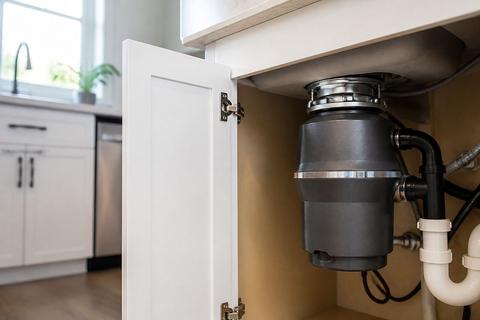
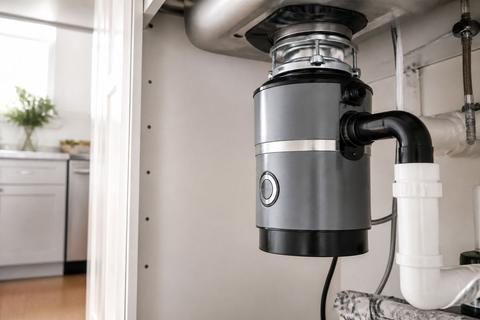
Locate the overload reset button on the underside of the GE disposal motor housing. The reset button is a small red or black button positioned near the bottom area of the unit. If the button has popped out, it will protrude compared to the surrounding housing. Make sure power is OFF before you touch the button so you don’t shock yourself or trigger the overload again while clearing the cause.
Press the button until it stays in
After power is OFF and you have checked for obvious items, press the reset button in firmly until it stays in. Use your thumb to push straight in and hold for a moment if it feels sticky, then release and keep your fingers clear. Do not repeatedly press if it won’t stay in—if it immediately pops back out, the disposal is still overloaded from a jam or overheating. In that case, go to the “If the Button Pops Back Out” section.
Restore power and test the disposal
Restore power and run the disposal for a short test using the wall switch. For continuous-feed GE models (models starting with GFC like GFC520N), the unit runs when you flip the wall switch. For batch-feed models (models starting with GFB like GFB760N), it runs only when the stopper cap is inserted and twisted, so insert the stopper correctly. Listen for normal grinding and confirm water drains without unusual vibration.
If the Button Pops Back Out
Remove a jammed object safely
If the reset button pops back out, the overload protection is still triggered. Turn power off at the wall switch and, if needed, the breaker, then retrieve the jam safely. Use tongs or pliers to pull out any visible foreign objects from the sink opening or drain area—especially metal items like lids and utensils. Do not put your hand into the grind chamber, because a jamged impeller can shift suddenly when the obstruction is removed.
Use an Allen wrench to free the impellers
A GE disposal that keeps tripping often has a stuck flywheel/impeller plate. Cut power and insert a 1/4-inch Allen (hex) wrench into the hex socket in the center of the unit’s underside. Work the wrench back and forth and rotate through a full movement to free the impeller plate. Once it moves freely, press the red/black reset button in again until it stays in.
Check for overheating and let the motor cool
Overheating can also cause the overload button to pop back out. After clearing the jam and before resetting again, let the motor cool for several minutes so the internal thermal protection can reset. With the power still OFF, press the button in and then restore power to run a short test. If it trips again after cooling and clearing, the jam may still be present or the motor may be failing.
When the Disposal Hums but Won't Spin
What a humming sound usually means
A humming sound with no grinding means the motor is trying to start while the impellers are stuck. The overload protection may trip, or the disposal may attempt to energize but fail due to a seized impeller plate. This is a jam scenario, not a “press reset and forget it” scenario. Power must be off before you attempt to free the rotor.
How to clear a stuck impeller plate
Turn off power at the wall switch and cut power at the breaker if possible. Insert a 1/4-inch Allen (hex) wrench into the hex socket on the underside of the disposal and rotate the impeller plate by working the wrench back and forth through a full rotation. This frees the stuck grinder so the reset button can work correctly. Clear any debris you can reach from the drain area with tongs or pliers, then press the reset button in until it stays.
When to stop and call for service
Stop troubleshooting and call a licensed plumber or appliance repair technician if the disposal still hums and won’t spin after you free the impeller and try reset once. Also stop if you find heavy corrosion, burning smell, or the unit consistently trips immediately after reset. Those signs indicate a motor or internal electrical problem that requires professional inspection.
Troubleshooting a Reset That Still Fails
Check the circuit breaker and outlet
If the disposal won’t start even after resetting, check electrical supply first. Go to your breaker panel and confirm the breaker feeding the disposal hasn’t tripped—set it fully off and back on. If your disposal is connected through an outlet, check that outlet for power and reset any outlet breaker if one exists. No power to the switch or disposal will prevent the motor and may make the reset appear to “fail.”
Test the wall switch and wiring connection
A bad wall switch or loose connection can stop the motor from receiving power even though the reset circuit is intact. Turn power OFF at the breaker, then inspect the switch and wiring for looseness or damage if you’re comfortable doing so. If you’re not, have an electrician or plumber check the switch and connections. After power checks, use the correct operating method for your model (GFC continuous-feed uses the wall switch; GFB batch-feed requires the stopper cap to be inserted and twisted).
Know the signs of motor failure
Motor failure shows up as a disposal that won’t run after clearing jams and resetting, especially when it repeatedly trips or stays silent while powered. Burning smell, scorch marks, or a disposal that runs briefly then fails again can indicate internal motor or winding damage. If you’ve removed the jam, pressed reset correctly, verified breaker/outlet power, and the disposal still won’t start, it’s time for service rather than more resets.
Frequently Asked Questions
Why does my GE garbage disposal keep tripping the reset button?
The most common causes are a jam, overload, overheating, or a failing motor. Clear any blockage first, then try the reset again.
Where is the reset button on a GE garbage disposal?
It is usually a small red or black button on the underside of the unit.
What if my GE garbage disposal hums but does not run?
A humming sound usually means the disposal is jammed or stuck. Turn off power, clear the obstruction, then use the reset button after the unit cools.
Can I use an Allen wrench to reset a GE garbage disposal?
The Allen wrench does not reset the unit, but it can help free a jammed grinder plate so the reset button can work again.
How often should I press the reset button?
Only after you have turned off power and checked for a jam. Repeated resetting without fixing the cause can damage the motor.