Window Air Conditioner Error Codes Explained
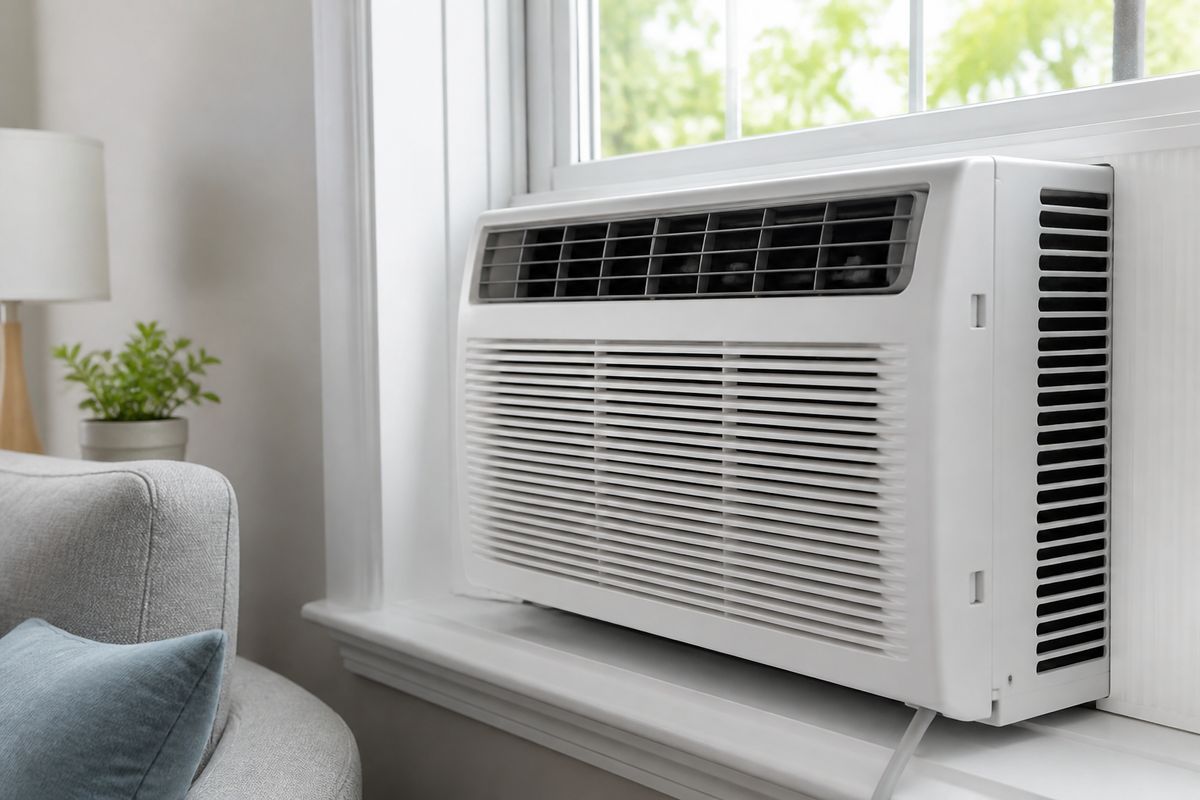
Your window air conditioner may be working fine one minute—and then you see window air conditioner error codes blink, beep, or lock you out of cooling. When that happens, it’s tempting to keep pressing buttons or guess what the code means. The fastest way to get relief is to identify the brand/model, interpret the code correctly, and try only the safe fixes that match the fault.
For more help, see our Window Air Conditioner Not Working: Diagnose Every Common Cause guide.
How to read window AC error codes
Where the code appears on the display
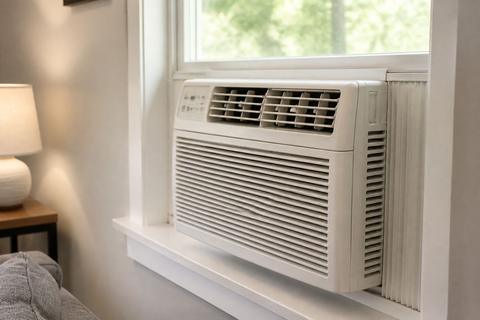
Most window AC error codes display on the built-in LED/LCD panel on the front of the unit. Some models show a letter-number fault (for example, E1 or EC 07), while others show a numeric pattern that changes every few seconds. If your unit has multiple indicators, note whether the code appears in the main digits, as a blinking LED next to “FILTER,” or as a combination of lights plus beeps.
- Look at the display with the unit running or immediately after it stops.
- Write down the code exactly as shown (including letters, dashes, or leading zeros).
- Note whether the display is steady or blinking and whether the fan is still running.
What a blinking light or pattern means
A steady code usually points to a persistent fault, while a blinking code often indicates a current condition detected by sensors (like a thermistor reading outside expected range) or an alarm that remains active until corrected. Count blink sequences if your model uses them (for example, a pause between flashes). Also pay attention to whether the compressor shuts off while the fan continues—that pattern matters for distinguishing airflow/ice issues from electrical failures.
- Watch for the blink rate (constant vs repeating sequence).
- Check whether cooling stops but the fan keeps blowing.
- If the code changes after cycling power, record both the first and second code.
Why the same code can mean different things by brand
Error codes are not universal across manufacturers. The same text—such as “E1”—can refer to a sensor fault on one brand and a communication/control error on another. Even within a brand, a code can differ by model series and firmware.
- Identify the exact brand and model number printed on the unit label.
- Use the manual for that model, not a generic code list.
- Treat brand-specific guides as authoritative only when the model matches.
Common error code categories and what they usually mean
Temperature sensor and thermistor faults
When a temperature sensor or thermistor reads an invalid value, the control board may stop cooling to protect the compressor and prevent freeze-up. Look for codes related to “room temperature,” “coil temperature,” or “thermistor,” and pair them with symptoms like warm air blowing, ice buildup, or rapid cycling.
- Keep the fan running if the unit allows it, to avoid additional ice formation.
- Clean the filter before deeper troubleshooting, because restricted airflow distorts sensor readings.
- If the code returns immediately after power reset, plan on service—sensor thermistors and wiring on sealed systems are not DIY-friendly.
Communication and control board problems
If the display shows a code tied to “EEPROM,” “communication,” “main control,” or “indoor/outdoor” (for portable-style designs), the issue may be the control board, wiring harness, or a failed component that prevents the unit from interpreting sensor input. These faults can appear after power surges or repeated on/off cycling.
- Power-cycle correctly (unplug or switch off at the wall breaker, then restore).
- Inspect the front control panel connections only if you can access them safely without removing sealed panels.
- If multiple control-related codes appear or the unit won’t regulate temperature, stop and call for service.
Drainage, water, and overflow alerts
Window AC condensate must drain properly. If water backs up, the unit may alarm and stop cooling to prevent leaks. A drainage fault can be triggered by a clogged drain opening, incorrect tilt, or a dirty base/pan area.
- Check for water dripping inside the room—this strongly indicates a drainage/tilt problem.
- Inspect the exterior drain path and clear any blockage at the condensate opening.
- After correcting airflow and drainage, restart and look for the alarm to clear; persistent overflow codes need service.
Fan motor, compressor, and airflow issues
Airflow problems create the conditions for both weak cooling and ice. Fan motor faults can produce codes tied to “fan,” “airflow,” “impeller,” or “motor.” Compressor-related faults can show up when the unit detects overload or fails to start after the protection delay.
- Clean the filter grille first—restricted airflow is a top cause of airflow/overheat codes.
- Ensure the intake and exhaust aren’t blocked by curtains, furniture, or window frames.
- If the fan runs but there’s no cold air for several minutes, account for compressor protection before assuming the compressor is dead.
Brand-specific codes you may see
LG window AC and HVAC error codes
LG window units can display CH-prefixed codes and other sequences that map to specific sensor and protection conditions in the LG manual. Blinking patterns matter: LG alerts require matching the code text exactly to your model’s documentation—never guess from a different LG series.
- Find the LG model number on the side/bottom label of the chassis.
- Locate the matching code section in your LG manual and identify what sensor/protection it references.
- If LG displays a code related to temperature/coil sensors, clean the filter and restore airflow before any sensor-related service request.
GE window AC E8 and other display errors
GE window ACs may show E8 and other display errors that correspond to specific faults in the unit’s control logic. Because the meaning is model-dependent, treat E8 as a starting clue, not a final diagnosis.
- Record the exact “E8” appearance (steady vs blinking) and what else is lit (like filter reminders).
- Check the manual for your exact GE model number, then follow the listed diagnostic path.
- If the unit shuts off quickly or repeatedly, do not keep cycling—control/electrical protection may be active and service is the safe next step.
Midea window AC codes such as 88 and EC 07
Midea-built window units (sold under multiple brands) can show codes like 88 and EC 07. In Midea-style families, EC is commonly tied to refrigerant-leak detection, which is not a DIY repair; E1 is commonly tied to an open/shorted room-temperature sensor on many of these models, but always confirm against your manual.
- Search your manual using the model label, not the code alone.
- If you see an EC-type refrigerant/leak alarm, stop DIY troubleshooting and schedule service.
- If the code points to a temperature sensor, clean airflow first, then check for persistent recurrence after power reset.
Gree, Aux, and Mitsubishi error patterns
Gree, Aux, and Mitsubishi often use patterns that pair a code with an LED blink behavior or protection category (sensor, fan, water, or compressor). These units can show faults that look similar across series, so the manual for your exact model is essential.
- Match the code exactly as displayed, including any letters/prefixes.
- Identify whether the fault category is sensor/thermistor, water alarm, or airflow-related.
- Start with safe fixes that fit the category: filters for airflow/sensor faults, drainage clearing for water faults, and power reset for intermittent controller issues.
When the code is real vs. when it is not
Codes that are not standard error messages
Some displays show “reminder” alerts, lockout indicators, or keypad feedback that can look like an error code. A “Filter” or “Reset Filter” light is a maintenance reminder, not a failure of the refrigeration system.
- Look for wording or symbols like FILTER / RESET FILTER.
- If the unit shows a maintenance reminder, clean the filter and reset the reminder rather than chasing electrical causes.
- Treat true errors as codes that reappear after reset and correspond to shutdown or protection behavior.
Mistaken searches for model, billing, or installer codes
People sometimes confuse window AC display characters with model numbers, billing codes, or installer-only settings. If you searched for the code without the model, you’ll often land on unrelated answers.
- Find the model label on the unit chassis (side or back edge depending on your design).
- Copy the full model number exactly (including letters/numbers).
- Use that model number to interpret the displayed error code in the official manual.
How to confirm your model number and manual
The correct manual is the difference between guessing and fixing. Model numbers are usually printed on a label attached to the side or back of the unit. Once you have the exact number, use the official support PDF/manual for your model.
- Locate the model/serial label and write the full model number.
- Match the error code chapter in the manual to your control panel type and display layout.
- If your display uses blinking sequences, follow the manual’s blink interpretation exactly.
Safe fixes you can try first
Power reset and outlet check
A reset can clear temporary sensor glitches or control lockouts. If your unit uses an LCDI safety plug, pressing RESET and ensuring the outlet is working are critical. If the unit is completely dead, you may need the cord’s internal reset before troubleshooting further.
- Turn the unit off, then unplug it or switch off at the wall breaker.
- Wait 2–3 minutes, then plug back in and turn it on.
- For LCDI safety plugs: press RESET firmly until it clicks; if it trips again immediately, the leakage detector/cord is faulty—do not bypass it.
Clean filters and restore airflow
Dirty filters restrict airflow, leading to ice, overheating, and sensor trips. Many window units also require airflow to read temperatures correctly. Restoring airflow is one of the safest first steps because it addresses multiple potential code categories.
- Slide the washable mesh filter out of the front grille.
- Rinse it with water, then dry it fully before reinstalling.
- If your unit has a Filter Reset button or reminder light, press Filter Reset after cleaning to clear the indicator.
Inspect drain paths and moisture buildup
Drain issues can trigger overflow alerts and cause leaks inside. Window units require correct tilt and an unobstructed condensate path; if water sits in the pan, sensors can detect it and shut down.
- Check that the unit tilts slightly toward the outside—about 1/4 to 1/2 inch.
- Clear any visible blockage at the condensate drain opening where water exits.
- If you see water inside or the base is wet, dry the area and remove the cause before restarting—repeated overflow codes indicate ongoing drainage trouble.
When to stop and call for service
Some problems should not be pursued with DIY fixes—especially those involving refrigerant, repeated electrical faults, or compressor failure. Safety matters: don’t keep resetting a unit that shows the same protection code immediately.
- Call for service if the code returns after a proper reset and safe cleaning/drain fixes.
- Stop if the compressor will not run, if you smell burning, or if you see signs of electrical damage.
- If you see repeated overheating behavior, persistent leakage, or refrigerant-leak type alerts (like EC-style codes on Midea families), schedule a technician visit.
Error code lookup by symptom
No cooling, weak airflow, or short cycling
If the unit runs but provides little to no cooling, it often points to airflow restriction, dirty filters, blocked vents, or sensor faults that shut down the compressor. Short cycling can also happen when protection logic detects an abnormal condition quickly.
- Clean the filter and ensure intake/exhaust are not blocked by curtains or furniture.
- Confirm fan operation: if the fan runs but cooling starts late, count the compressor protection delay (about 3 minutes) after any power interruption or off/on cycle.
- If it continues to short cycle with the same code, interpret the code with your manual and plan service if it persists.
Frozen coils and ice buildup
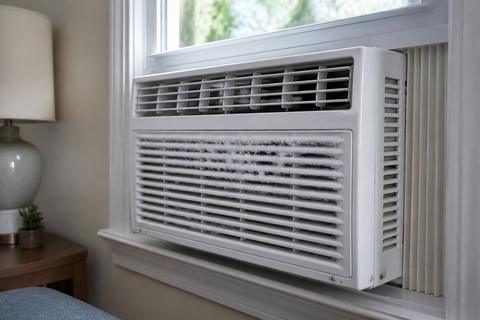
An iced-over evaporator coil often occurs when warm air can’t move through the unit or when the unit is running in conditions that keep the coil below freezing. Ice also confuses sensors and can trigger specific protection codes.
- Switch to fan-only mode (if available) and let the ice fully melt.
- After the coil is clear, clean the filter and remove any airflow restrictions.
- If it refreezes after cleaning, the cause is deeper: cool room temperature (below about 62°F), restricted airflow behind the coil, or low refrigerant charge—sealed-system refrigerant issues require a technician.
Unit will not start or shuts off quickly
A unit that won’t start can be a power-supply issue (outlet/cord), control lockout, or a safety protection trigger. Shut-off quickly points to an alarm state—like overheat, sensor fault, or electrical detection.
- Check the wall outlet with another device to rule out outlet failure.
- If using an LCDI safety cord: press RESET on the cord and see whether it stays engaged.
- If it starts, runs briefly, and stops with a repeated code, follow the manual for that code rather than repeatedly cycling.
Odd beeps, flashing lights, or E1 and E4 alerts
Beep patterns and flashing lights usually indicate a specific protection or error code condition. On many window ACs, E-style alerts relate to sensors or control monitoring; E1 is frequently tied to room-temperature sensor issues on certain Midea-built families, while other brands map E4 to different internal faults.
- Write down the code exactly (E1, E4, etc.) and whether the display is flashing.
- Clean filters and ensure normal airflow before interpreting sensor-related alerts.
- If sensor-related codes return immediately after reset, don’t keep guessing—use the model-specific manual and arrange service if the fault persists.
How to find the right manual and support info
Use the model label on the side or back of the unit
The fastest way to get the correct error code meaning is to use the exact model number from the unit label. Window AC labels are commonly on the side or rear of the chassis, and they include the model and serial number.
- Locate the label and copy the model number exactly as printed.
- Note the voltage rating if present, since manuals can differ by electrical configuration.
- Keep the recorded code and model together so support can match them quickly.
Search official PDFs and manufacturer support pages
Use manufacturer support resources to avoid wrong code lists. Official manuals include the exact code mapping for your display type and firmware series.
- Find the support page for your brand.
- Download the PDF manual that matches your full model number.
- Use the manual’s troubleshooting/error-code section for the exact fault meaning and recommended steps.
Match the code to the exact model before troubleshooting
Even when two units share an error code label, the fault definition can change by model. Matching the code to your exact model before acting prevents wasted time and unnecessary part replacement.
- Compare the displayed code with the manual section for your model’s code format.
- Follow the listed troubleshooting order (reset → cleaning checks → component diagnostics).
- If the manual directs component replacement or sealed-system service, schedule a technician instead of attempting DIY.
Frequently Asked Questions
What does an E1 error on a window air conditioner usually mean?
E1 commonly points to a sensor or communication issue, but the exact meaning depends on the brand and model. On many Midea-built families, E1 has been associated with an open or shorted room-temperature sensor, but that is not universal across all manufacturers. The safest approach is to check your exact model’s manual before replacing parts.
Can I reset a window air conditioner after an error code appears?
Yes. A basic reset is often the first safe step. Turn the unit off, unplug it for a few minutes, then restart it and see whether the code returns. For units with an LCDI safety plug, use the cord’s RESET button as the reset method instead of bypassing it.
Why does my window AC show a code that I cannot find online?
Some codes are brand-specific, model-specific, or tied to blinking patterns that are easy to misread in online lists. Also, display characters can be mistaken when people search without confirming the full model number. Use your unit’s model label and compare the code against the official manual.
Do all window air conditioners use the same error codes?
No. Error codes are not universal, so the same code can mean different faults across brands. Even within the same brand, different model series can map codes differently, so you need the exact manual for your model.
When should I call a technician for an error code?
Call for service if the code keeps returning after a reset, if the compressor will not run, if you suspect electrical damage, or if you see repeated overheating or leakage. If the code suggests a refrigerant-leak or sealed-system alarm (for example, EC-style refrigerant alerts on some Midea-built units), stop DIY troubleshooting and schedule a technician.