How to Make a Window Air Conditioner Quieter
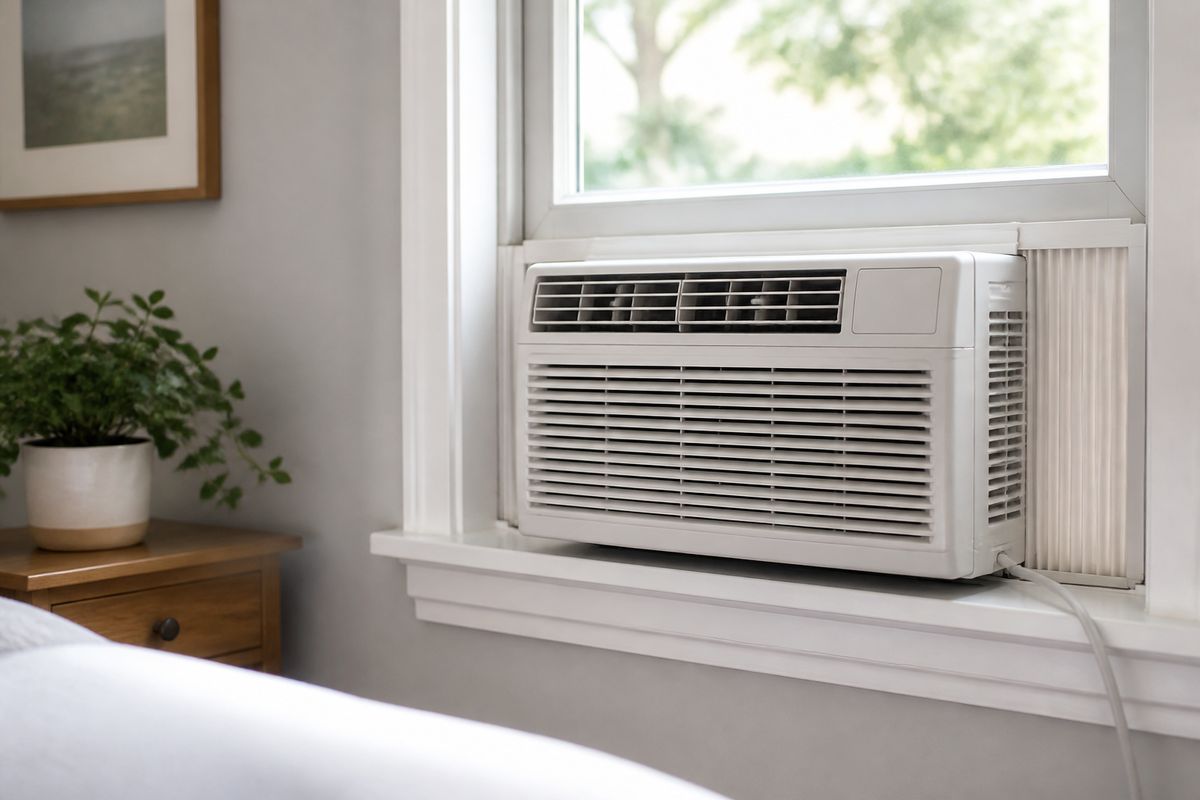
If your window AC has started rattling, buzzing, or sounding louder than it did last month, you’re not stuck with the noise. Learning how to make window air conditioner quieter usually comes down to finding where the vibration or airflow problem is starting. Before you replace anything, you can often silence it with a few targeted checks—starting right at the unit and finishing with sound-blocking around your window.
For more help, see our Window Air Conditioner Not Working: Diagnose Every Common Cause guide.
Find the Real Source of the Noise
Identify whether the sound is vibration, rattling, or airflow
You’ll fix a window air conditioner faster when you match the sound to its cause. Start by listening with the unit on high fan, then compare what you hear while gently touching the front grille and side panels.
- Vibration noise feels “shaky” and changes when you press on the chassis—common with poor mounting or loose hardware.
- Rattling sounds like plastic tapping or metal clatter—common with loose panels, debris, or a fan blade contacting something.
- Airflow noise sounds like rushing air or whistling—common with blocked intakes/vents, a dirty filter, or gaps around the window.
Check for loose panels, dirty filters, and worn parts
Loud noise frequently comes from three everyday culprits: loose fasteners, airflow restriction, and worn fan components. Turn the unit off and unplug it before inspecting inside or removing panels.
- Remove the front grille/cover if your model allows it, and look for visible gaps, bent metal, or loose screws.
- Check the filter for dust or clogs—if it’s packed, airflow is restricted and the fan works harder.
- Look for worn fan blades or signs of rubbing (scuffs on the blade edge or interior shroud).
If you find any loose part, tighten it before running again.
Tell normal operating noise from a problem
Not every sound means something is broken. Many window ACs produce a steady hum from the compressor and fan, and a light “water slosh” is normal because the fan splashes condensate onto the condenser coil.
- Normal: steady hum, mild airflow roar, and occasional rhythmic water sounds.
- Likely problem: loud buzzing, grinding, persistent rattling, or clicking that repeats in bursts.
- Safety note: if you notice burning smell, smoke, or tripped breaker behavior, stop using the unit immediately and address the electrical issue.
Stabilize the Unit and Reduce Vibration
Level the air conditioner correctly in the window
Proper leveling reduces vibration and stops extra rattling caused by uneven mounting. Window units should tilt slightly toward the outside so condensate drains outdoors.
- With the unit running, look from the inside side edges for any rocking.
- Unplug the AC, then loosen the side bracket screws and adjust shims so the chassis is snug but tilted about 1/4 to 1/2 inch toward the outside.
- Tighten the brackets again so the unit doesn’t flex when you press the front corners.
Tighten brackets, screws, and side panels
Loose mounting points are one of the most common reasons for sudden noise. Once brackets and side panels move even a little, the vibration transfers into the window frame.
- Unplug the unit.
- Use the correct screwdriver to tighten all visible screws on the side brackets and the top rail contact points.
- Check that the chassis is fully seated in the window tracks—no gaps—and that any side panel tabs are engaged.
Avoid over-tightening plastic parts; stop when screws are snug.
Add foam, rubber, or anti-vibration padding
Padding isolates the unit from the window frame and reduces “metal on metal” transmission. Choose material that stays dense under heat and doesn’t shed particles into the airflow path.
- Place closed-cell foam or rubber anti-vibration pads where the chassis contacts the window frame (side rails, corners, and top support points).
- Keep padding away from the air intake and exhaust openings so you don’t block airflow.
- Reinstall side panels/brackets so they compress the padding slightly without warping the unit casing.
Cut Down Airflow and Fan Noise
Clean the filter, coils, and vents
A dirty filter and restricted coils force the fan to push harder, which makes the entire system louder. Cleaning also improves cooling so the compressor cycles less frequently.
- Turn the unit off and unplug it.
- Remove the front filter/grille. If your model has a “Filter” or “Reset Filter” reminder light (common around ~250 run-hours), slide out the washable filter, rinse it, let it dry fully, reinstall it, then press the Filter Reset button to clear the light.
- Vacuum dust from accessible vents and fins using a soft brush attachment, then wipe the intake area if dust is packed.
Use the right fan setting for the room
Fan settings can dramatically change noise. High fan is louder but moves more air; if the room is already comfortable, you’ll reduce noise by choosing the smallest setting that maintains temperature.
- Start on a medium or low fan instead of high and wait 10–15 minutes.
- Use the temperature control to reach your target setpoint, then reduce fan speed if the room stays stable.
- Avoid running “max cool” continuously if you’re chasing noise reduction—stabilize the temperature instead.
Remove obstructions around the intake and exhaust
Airflow restrictions create both a whistle and a higher-pitched fan sound. Clear the unit so it can breathe freely.
- Keep curtains, furniture, and bedding at least several inches away from the front intake.
- Remove any items stacked on or near the outdoor side where hot air exits.
- Check the window opening: the unit’s exhaust should not be blocked by the window sash or overlapping trim.
Make the Room Help Block the Noise
Seal gaps around the window frame
Gaps let noise leak indoors and also interfere with proper air balance. Sealing improves both comfort and sound.
- Turn the unit off.
- Apply weatherstripping or foam tape along the window frame edges where air can escape around the chassis.
- Fill larger cracks with window/door acoustic sealant or expandable foam designed for window openings, then trim flush.
Use curtains, rugs, and soft furnishings to absorb sound
Soft materials reduce reflections that make the AC sound carry farther around the room. You’re aiming to absorb mid-to-high frequency noise from the fan and airflow.
- Hang thick curtains over the window area (inside), not tightly packed directly against the grille.
- Place a rug on the floor to damp reflections where the unit sound hits.
- Add a couple of soft items (pillows, fabric panels) near the wall that shares space with the AC.
Move beds and desks away from the unit
Even if the AC itself stays the same, moving your “listening position” reduces perceived loudness. This is especially important for sleep.
- Place your bed so the headboard is not directly aligned with the AC airflow path.
- Move a desk or chair away from the window side by even a few feet if possible.
- If you can’t move furniture, rotate it so you face away from the unit and toward a more absorbent wall surface.
Fix Mechanical Problems That Make It Loud
Inspect the fan blade and motor for damage
Mechanical contact creates the most alarming noises—grinding, scraping, or a rapid rattling pattern. Unplug the unit before checking anything inside.
- Remove the front grille and locate the fan area. Look for cracks, bent blades, or scuff marks where the blade rubs.
- Spin the fan gently by hand (only with power unplugged). It should rotate freely without scraping or catching.
- If blades are damaged, do not keep running—replace the fan blade assembly or have service perform the repair.
Listen for compressor clunks, hums, or grinding
Compressor issues can change sound character and timing. Pay attention to whether the noise appears during startup, while running, or only when cycling.
- Note whether you hear clunks when the compressor turns on and then quiets to a hum—startup clunks can happen, but loud banging is a problem.
- Watch for grinding or squealing that increases with operation—often indicates a mechanical failure or failing fan/motor.
- If the unit trips the breaker repeatedly, stop and address the electrical cause.
Some signs also correlate with temperature mode or ice buildup, which should be handled before assuming compressor failure.
Know when repair or replacement is the smarter choice
If basic fixes don’t reduce noise after you clean, tighten, level, and isolate vibration, the remaining causes are frequently mechanical wear. Sealed-system failures also require specialized service.
- If you find damaged fan blades or a motor problem, repair can be cost-effective compared with replacing the whole unit.
- If you get persistent loud grinding/hum and the unit also struggles to cool, replacement is often smarter than repeated repairs.
- If your unit shows error codes, match them to your manual—avoid guessing with workarounds.
Keep It Quiet Without Sacrificing Cooling
Set temperature and fan speed for efficient cooling
Quiet operation comes from reducing how hard the unit has to work. Efficient settings lower compressor run time and overall noise.
- Set the thermostat to a realistic comfort target (not an extreme “max cool”).
- Choose the lowest fan speed that maintains the set temperature for 10–20 minutes.
- Use normal cool mode rather than constantly cycling power on and off—many window units enforce a compressor protection delay of about 3 minutes after power interruption, and off/on cycles can make operation feel louder and less steady.
Improve room cooling so the unit does not work as hard
When the room stays cooler, the AC runs fewer cycles, which reduces sound frequency. Start with the biggest heat sources.
- Close blinds or curtains during the brightest part of the day.
- Use a door position that limits hot air exchange from other rooms.
- Check for drafts from the window edges and seal them so the AC isn’t fighting outside heat.
Use timers, sleep mode, or smart plugs where appropriate
Scheduling reduces how long the unit runs at its loudest settings, especially at night. Smart features also help you avoid constant manual adjustments.
- Turn on sleep mode if your unit has it—this typically reduces fan speed as the room stabilizes.
- Use a timer to shut off after you’re asleep or to start shortly before you wake.
- If using a smart plug, set it for scheduled operation rather than rapid power cycling, since repeated off/on can trigger compressor delay behavior.
Frequently Asked Questions
Why is my window air conditioner suddenly louder than usual?
A sudden noise change usually points to a loose panel, dirty filter, blocked airflow, or a worn fan or compressor part. Start with the easiest fixes: tighten the installation hardware, clean the filter, and clear anything blocking intake/exhaust vents. If the noise becomes a scraping/grinding sound or the unit won’t cool after cleaning, mechanical wear is more likely and you should inspect the fan and compressor sounds more closely.
Can a window air conditioner be made quieter without replacing it?
Yes. Many window AC noise issues come from vibration, poor installation, dirt buildup, and airflow restriction—problems you can correct with cleaning, proper leveling, and anti-vibration padding. Even if the unit still needs service, these steps often reduce noise enough to make the AC comfortable again without replacement.
Will cleaning the filter make my window AC quieter?
It can, and it’s one of the fastest noise-reducing fixes. A dirty filter restricts airflow so the fan compensates by working harder, which increases fan noise. Clean the filter, reinstall it, and if your model has a “Filter/Reset Filter” reminder light, press the Filter Reset button after the filter is reinstalled and fully dry.
How do I make my window AC colder and quieter at the same time?
Keep the filter and coils clean, seal gaps around the window frame, and ensure the unit is properly sized for the room. When the AC is not fighting restricted airflow or unwanted heat gain, it runs more efficiently—often meaning less fan noise and fewer extended compressor cycles.
Is a humming window air conditioner normal?
A low hum can be normal, especially during steady compressor and fan operation. Loud humming, buzzing, rattling, or grinding usually signals a loose part, vibration transfer into the window frame, or a mechanical/electrical issue. If the noise is harsh or worsens quickly, stop using the unit and inspect the fan area and mounting points first.